Why Is My Website Not Converting? 9 Leaks That Waste Ad Spend
If you’re asking why is my website not converting, the answer is usually not “more traffic”. Plenty of businesses spend thousands a month on Google or Facebook ads and send every click to a site that is slow, confusing or quietly broken. The ads do their job. The website loses the customer. This guide shows the nine most common leaks, how to check each one yourself, and what to fix before you spend another dollar on clicks.
The short version
- Ads buy visits, not customers. Your website turns a visit into a call, form or sale.
- Conversion rate multiplies everything. Double it and you get twice the enquiries from the same ad budget.
- Most leaks are basic: a slow page, a home page that doesn’t match the ad, no clear next step, a broken form, nothing that builds trust.
- Fix the site before raising the budget. More spend into a leaky site just loses more money, faster.
- Track enquiries, not clicks. If you can’t see where enquiries come from, you can’t tell what’s working.
The maths: same ad spend, three websites
Take a business spending $2,000 a month on ads at $5 a click. That buys 400 visits. What happens next depends entirely on the website:
Enquiries from $2,000 of ads (400 clicks)
Worked example, not an industry benchmark. Enquiries = clicks × conversion rate. Cost per enquiry = ad spend ÷ enquiries.
Nothing about the ads changed between those three rows. The business at 1% pays six times more for every enquiry than the business at 6%, and will probably decide that “ads don’t work”. Put your own numbers into our free ROAS calculator to see what your website is costing you.
Nine leaks that waste ad spend
1. The ad promises one thing, the page says another
Someone searches “blocked drain plumber”, clicks your ad and lands on a home page about everything you do. They have to hunt for the thing they came for, so they go back and click the next ad. Send each ad to a page about that exact service, with the same words in the headline that were in the ad.
2. The page is slow on a phone
Most local searches happen on phones, often on mobile data. Google’s own guidance is that the main content of a page should load within 2.5 seconds. Huge images, video backgrounds and stacks of plugins push many small business sites well past that, and people leave before they see anything.
3. It’s awkward or broken on mobile
Text that needs pinching to read, buttons too small to tap, menus that cover the page, content that scrolls sideways. Open your site on your own phone and try to make an enquiry with one thumb. If it annoys you, it annoys your customers.
4. There’s no clear next step
Every page should make one action obvious: call, book, get a quote or buy. Put your phone number and main button at the top, make the number tap-to-call, and repeat the button further down the page. “Contact us” buried in a menu is not a next step.
5. The form asks too much, or fails silently
Long forms put people off. Ask only for what you need to reply. Then test it: fill in your own form today and check the enquiry arrives. Forms that send to an old address, land in spam or throw an error are more common than most owners realise, and nobody tells you when it happens.
6. Nothing on the page builds trust
A stranger is deciding whether to hand you money. They look for reviews, real photos of your work and team, a business name and ABN, licences or qualifications, and an address or service area. If those are missing, the cheaper-looking competitor with 80 reviews wins. Score your own site with our website trust checklist, or read how Google and customers judge trust.
7. The content is thin or vague
“Quality service at competitive prices” tells a customer nothing. Say what you do, where you do it, roughly what it costs, how long it takes and what happens after they enquire. Answering the obvious questions on the page removes reasons to keep shopping around.
8. Technical errors get in the way
Broken links, missing pages, a “not secure” browser warning, pop-ups that won’t close, images that never load. Each one is a small signal that the business behind the site isn’t paying attention. A free website health check will find the common ones in about 15 seconds.
9. Nothing is tracked, so the leak is invisible
If calls and form enquiries aren’t being measured, you can’t tell which ads, keywords or pages bring work. Good campaigns get switched off and bad ones keep running. Set up conversion tracking for calls and forms before you judge any campaign.
How Google rates your landing page
Google Ads gives each keyword a Quality Score from 1 to 10, built from three parts: expected click-through rate, ad relevance and landing page experience. Each part is rated above average, average or below average compared with other advertisers. Google describes Quality Score as a diagnostic tool, not something fed directly into the ad auction, but a “below average” landing page rating is Google telling you plainly that people who click your ad aren’t finding the page useful.
You’ll find it in Google Ads under Keywords, by adding the Quality Score columns. If landing page experience is below average across the account, the website is the first thing to fix.
What to fix first
Work in this order. The early steps are cheap, and each one makes the next dollar of ad spend go further.
Sonar check · before you raise your ad budget
- Does every ad land on a page about that exact service?
- Does that page load in under 3 seconds on your phone, on mobile data?
- Is the phone number or main button visible without scrolling?
- Have you tested the form this week, and did the enquiry arrive?
- Are reviews, real photos and your business details on the page?
- Are calls and form enquiries tracked as conversions?
Fix it or rebuild it?
Most leaks can be fixed without starting again: a new landing page, compressed images, a shorter form, a clearer headline. A rebuild makes sense when the site is slow by design, can’t be edited without breaking, doesn’t work on phones, or simply doesn’t look like a business you’d trust. If you’re unsure, start with the health check and fix what it finds. If it’s still not converting after that, look at a website redesign.
Free tool · 15 seconds
Find the leaks before you pay for more clicks
Run a free health check on your website, or ask us to look at the page your ads send people to.
Website not converting: FAQs
Why is my website getting traffic but no enquiries?
Usually because visitors can’t quickly see that you do what they need, don’t trust what they see, or can’t find an easy way to contact you. Check that the page matches what they searched for, loads fast on a phone, shows reviews and business details, and has one obvious next step.
What is a good website conversion rate?
It varies a lot by industry, offer, price and where the traffic comes from, so published averages are a rough guide at best. The most useful comparison is your own site over time: measure your current rate, fix the leaks above, and see whether it improves.
Should I fix my website before running Google Ads?
Yes, at least the page your ads will send people to. You don’t need a perfect site, but you do need a fast, relevant landing page with a clear call to action and working conversion tracking before you spend real money on clicks.
Why are my Google Ads not converting?
Either the wrong people are clicking, or the right people are landing on a page that loses them. Check your search terms report for irrelevant searches, then look at the landing page: message match, speed, trust and a clear next step. Make sure conversions are tracked so you can tell which it is.
How do I know where visitors are dropping off?
Google Analytics shows which pages people land on and leave from. Pair it with conversion tracking for calls and forms. For a quick check without any tools, ask someone who doesn’t know your business to find a price and make an enquiry on their phone while you watch.
Sources
- Google Ads Help: About Quality Score for Search campaigns
- web.dev: Web Vitals (loading, responsiveness and visual stability thresholds)
- Google Ads Help: About conversion measurement
Checked November 2026. Rules and prices change, so confirm details with the source before you act.
More from the small business marketing guide
This article is one stop in our small business marketing guide. Keep going:
- FoundationsWebsite trust checklist (free tool)
- Get foundE-E-A-T explained
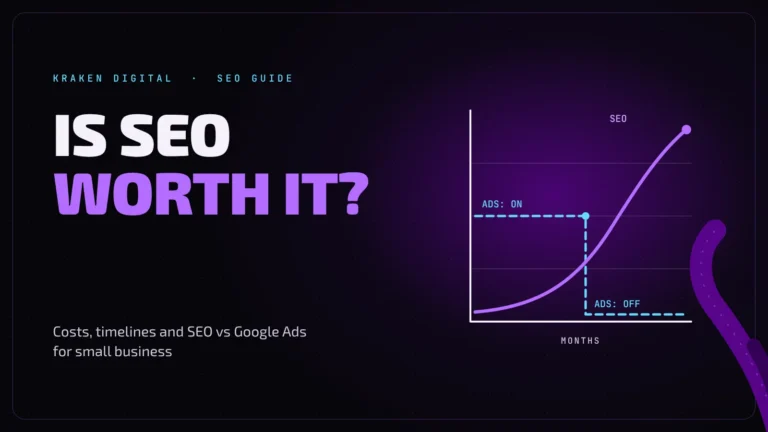
- Get foundIs SEO worth it?
- Get foundGoogle Business Profile setup
- Paid trafficROAS calculator (free tool)
- Check the workHow to tell if your agency’s report is real
- Check the workWho owns your marketing accounts?
// keep diving